
Antigravity supports connecting custom MCP servers. Since the Astro docs MCP server isn’t in the built-in store yet, you can add it manually.
Update: I got this added to the Astro MCP docs (pull request)!
-
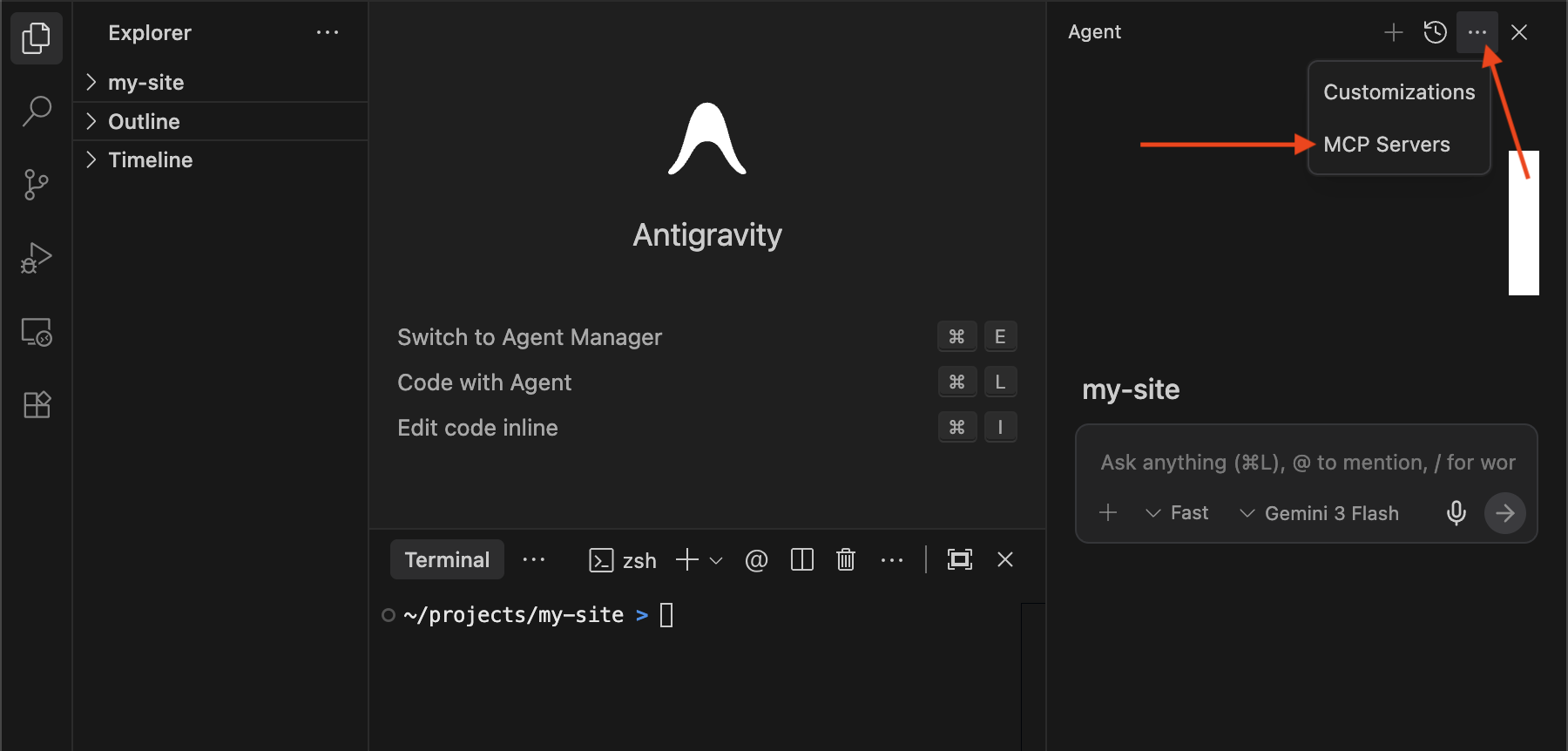
Open the MCP Servers panel:
-
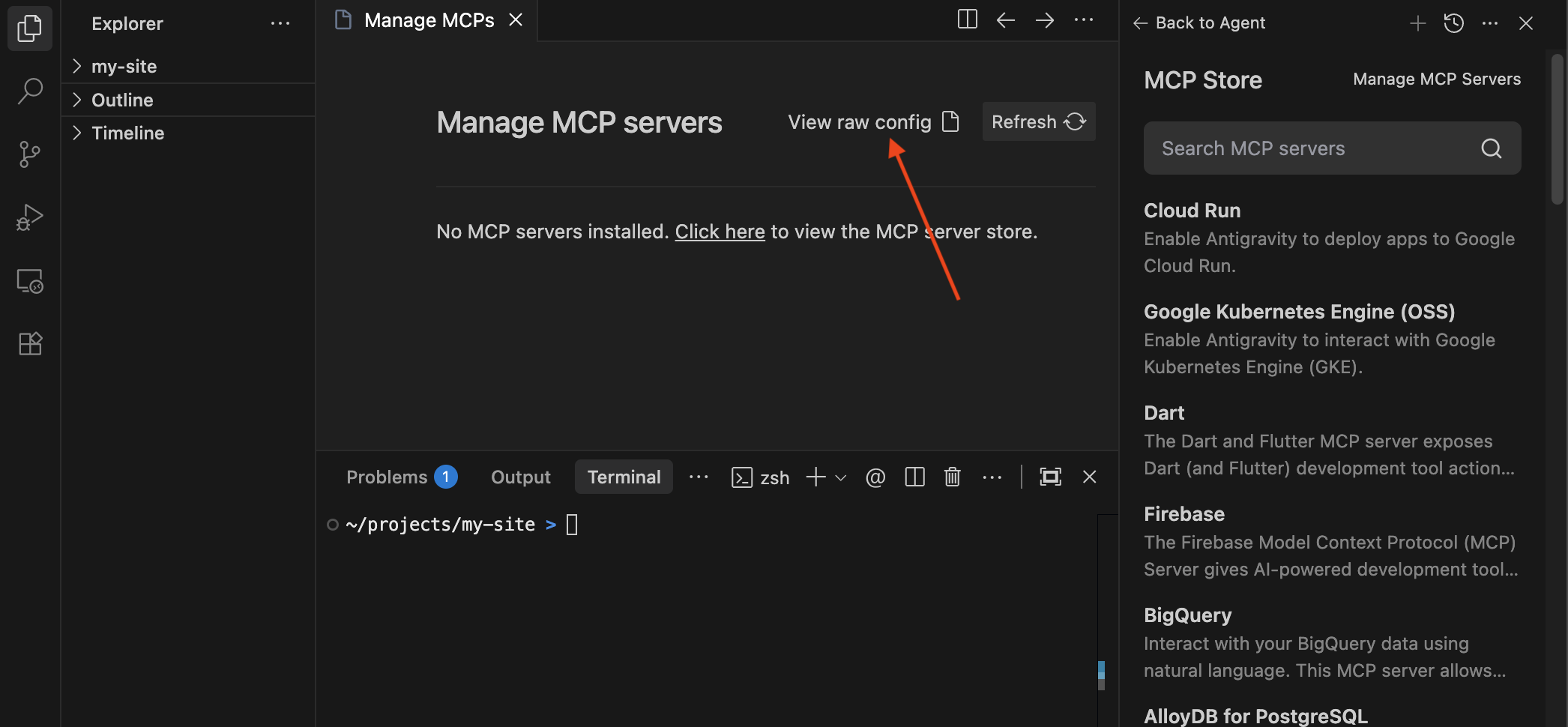
Click “View raw config” in the Manage MCPs tab that opens
-
Add the
astro_docsconfiguration to yourmcp_config.jsonfile that opens:{ "mcpServers": { "astro_docs": { "serverUrl": "https://mcp.docs.astro.build/mcp" } } }Then, save the file.
-
Click the Refresh button in the Manage MCPs tab to ensure the server is configured correctly.
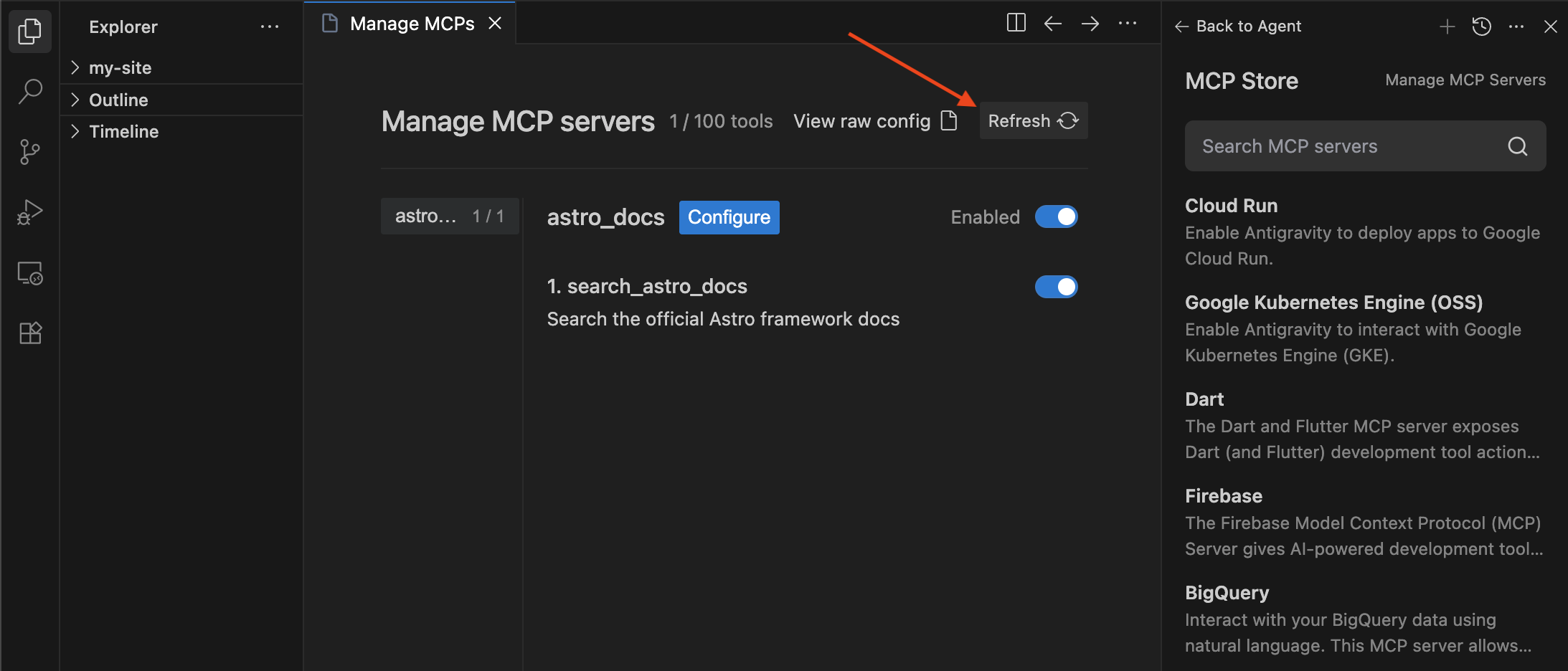
Now Antigravity can search and read the official, up-to-date Astro documentation.